
A folder can tell me where a video lives. However, it cannot tell me why it is beside another, named finalfinal.mp4, or what I was trying to do when finalfinal-prod.mp4 is made subsequently.
That difference, in decades of media interaction, is now becoming harder to ignore.
Our creative work, memories, and notes are not spread across folders or trees. The human mind works best spatially: a location there, a picture-esque scene here. From the World Memory Championships to the fundamental nature of the human hippocampus and brain structure, human beings are exceptionally good at using space to organize information.
That’s why building Sigma Canvas remains our most monumental task: bringing the most intuitive human workhorse into a digital workflow.
The common workflow
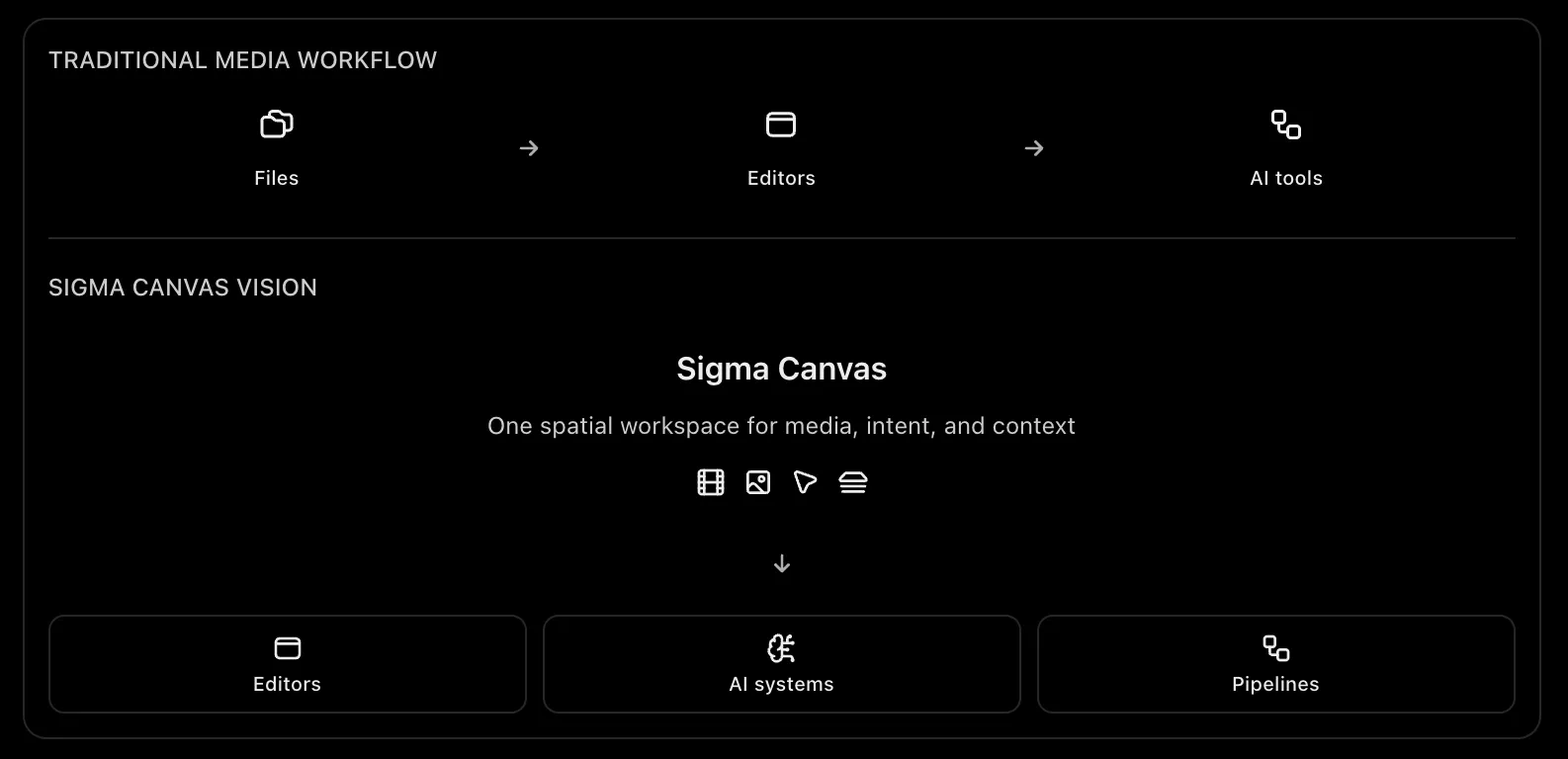
A familiar media workflow usually begins in a directory, we import our source material (camera, recording, download, generation), then open it into an editor, creatively play around with some edits, then export. Perhaps later, new material is found or added to the directory, so a second export is within the same output space, or you save the project state from your favorite editor.
The flow is familiar, yet when scaled up on each end, you have hundreds of source materials in size and scope, dozens of output files in space, time, and experimentation, and potentially even differing professional editing save schemas (Blender, Cinema 4D, Premiere Pro, After Effects, Photoshop, Illustrator, Resolve Studio, Higgsfield).
Each tool is important; however, as a human, studio, or agent, there is no discernible context unless directly specified and labeled within the file browser.
- The editor knows a crop, a timeline, or a composition.
- The file manager knows the paths, timestamps, and potentially previews.
- A generation tool knows its prompts and inputs.
However, none of them necessarily knows why a particular output was rejected, a part of another reference, or a different set of ideas entirely.
We, as human beings, compensate with filenames, nested folders, screenshots, notes, and our memory. We re-import assets, save files, and reconstruct the context around our previous decisions, using up much time mapping the artifacts rather than working on the material by itself.
This generation of file management is great for filesystem containment. It is not, however, an intuitive interface for human intent.
The spatial workspace
Sigma starts with a canvas, where images and videos can exist together as active, manipulable objects. These can be laid out as a collection to be resized, clipped, and cropped in real-time. The original file remains contextually present for comparison. All of this, with high performance preview, spatial state persistence, and your favorite editing software in mind.
The long-term idea goes beyond arranging some thumbnails, however.
Imagine collecting a hundred video clips, from 1080p to 4K, vertical and horizontal, in different formats. You place them into loose groups: references on the left, likely sequences in the middle, and alternatives on the right. You select-drag a few that matter, apply a proportional crop to all of them at once, and compare the shots to the original, all playing at the same time.
This arrangement already does communicate better than a directory tree can’t: these media assets are related, and this is how I’m thinking about them.
In this system we’re building toward, the intent becomes structured. It becomes information. The edits know what original file it came from. A location in this space knows its own framing and transformations. A connected tool knows the chain of assets and instructions you did to it.
This space becomes human-friendly. It becomes the ultimate expression for human intent, not just a container designed for machines.
Editors and Pipelines
We won’t desire to rebuild Premiere, After Effects, Photoshop, or Blender inside Sigma. Those applications have years of specialized engineering worked on them. Sigma, should make them immensely easier to work with.
Such professional editors should be able to consume the selections of content for specialized operations such that its output can be contextualized within Sigma for long-term relationships and organization.
The goal is to reduce the time, cost, complexity in preparation between editors.
AI systems
Sigma’s role here is to create smooth interoperability with existing and future AI systems, where the intent should always be helping the human reduce complexity and increase workspace understanding. That means integrated models should be able operate on Sigma with useful functions to media assets: search, reposition, summarize, annotate, categorize, and more.
Pipelines
Once a Sigma workspace can readily express assets, selections, relationships, and transformations, it can serve as the beginning for repeatable operations or interpretable export formats.
Consider a collage of high-resolution terrain photography that all need to be the same crop, conversion, or image transformation pipeline. Rather than repeating a sequence of manual exports and imports, Sigma aims to provide a schema along with edited media such that your pipeline outputs are contextualized along with versions, job executions, and labeled operations as well.
Where Sigma is today
Sigma Canvas is an open-source, preview state, aiming to be a local-first desktop application built with React, TypeScript, Rust, and Tauri.
Today, it supports an unbounded spatial canvas for images and videos, interactive arrangement, resizing and cropping, video scrubbing and A/B loops, basic media export, and saving and loading canvas layouts. We have also been investing in performance-aware previews, resource scheduling, and native media experiments.
This is already useful for organizing footage, reviewing material, and exploring visual ideas. It’s also still a very early product.
Upcoming features are in progress: Rich asset relationships, broadly supported editor round trips, advanced formats, project-wide indexing, and full automation pipelines are part of the direction rather than finished capabilities.
We want to be precise about that distinction. A compelling prototype is not the same thing as a dependable tool someone can trust with their daily work.
What comes next
Our priorities follow directly from that belief.
First, we want a more durable foundation for workspaces: clear identities for source assets and their placements, resilient persistence, search and indexing, and a structured interface that other tools can consume.
Second, we want to push media performance without tying the entire product to one presentation framework. Sigma’s underlying workspace, decoding, and rendering systems should be able to evolve independently as we test native acceleration and qualify behavior across desktop platforms.
Third, we want to build the bridges outward: editor integrations, ComfyUI workflows, batch processing, and eventually a public extension interface. The user should be able to choose the tools that do the specialized work while Sigma preserves the bigger picture.
We also envision a distinction between an accessible, open Sigma Canvas Studio and a professional Sigma Render Lab offering more specialized production workflows. The core experience of local ownership, usable performance, and portable workspaces should remain the foundation.
Our ambitions extend beyond creative media. Researchers, designers, engineers, and technical teams also work with collections of assets whose relationships matter more than their folder locations. We see that as a possible future for the same underlying model. For now, media is where we’re proving it.
The long-term vision is simple: your files should remain yours, your tools should remain interchangeable, and the context of your work should finally have a place to live.
If you work with large media collections, build creative tools, or have struggled to connect editors and AI pipelines, we’d love to hear what breaks in your workflow. Send an email our way at asyntheticlabs@gmail.com.
See the Sigma product page or follow development on GitHub.